Best Pick
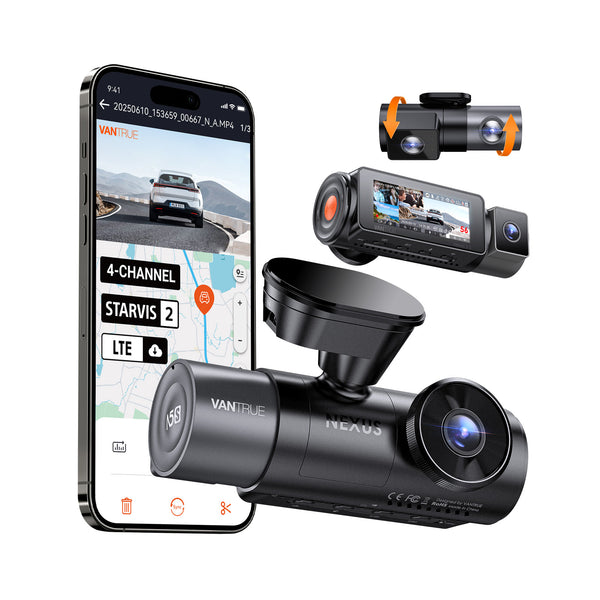
Nexus 5S
$399.99
4-Channel Full Coverage Four STARVIS 2 Sensors LTE Connectivity 10s Buffered Pre-Recording Motion Detection.

Best microSD Card Size and Speed for Nexus 2X is one of the strongest starting points for Canadian dashcam buyers.
This is one of the top-rated dashcams for Canadian drivers. Prices change frequently — check the latest deal below.
Check today’s price before it changes: Check Latest Price
Check Latest PriceTL;DR: For the Nexus 2X dashcam, choose a microSD card of at least 64GB capacity with U3 or higher speed class (Class 10, UHS-I). This balance ensures reliable recording and smooth playback without interruptions.

Canadian climates, especially in winter, can be challenging for electronics. When selecting your microSD card for the Nexus 2X dashcam, prioritize endurance and temperature tolerance. Dashcams often operate in harsh conditions — cold starts in winter, hot interiors in summer, and exposure to UV light.
Look for cards labeled as “high endurance” or “industrial grade,” which are designed to withstand repeated writing cycles and temperature swings. This ensures your video recordings remain intact during cold Canadian winters and hot summer months.
The Nexus 2X features parking mode, which continuously monitors your vehicle while parked. This mode requires a card that can handle constant writing without premature failure.
When installing the microSD card, format it in the dashcam’s menu to avoid compatibility issues and reduce file corruption risk. You might want to periodically erase and reformat the card every few months to maintain optimal performance.
If you mainly use your Nexus 2X for standard driving recordings with occasional parking mode use, a 64GB U3 microSD card with high endurance rating should meet your needs perfectly. This size provides enough storage for several hours of continuous footage and supports smooth video writes.
For heavy users who rely extensively on parking mode or capture longer drives, consider stepping up to a 128GB card with V30 speed classification. This setup keeps your recordings stable without gaps.
Avoid lower-speed cards (Class 4 or 6) or very small capacities (16GB or less) as they can slow down writing speed, leading to dropped frames or corrupted files, especially during high-bitrate recording.
Also, when buying in Canada, check for local warranty coverage or retailer return policies in case the card fails prematurely due to the demanding environment dashcams operate in.
Yes, but only if you choose a microSD card rated for low temperatures and high endurance. Many dashcam-specific cards are tested to work reliably down to -25°C, which covers most Canadian winter conditions. Make sure the card is also formatted properly and occasionally checked for errors.
A hardwire kit is recommended if you want to use parking mode for extended periods without draining your car battery. It provides a constant power source to the Nexus 2X, allowing it to monitor your vehicle even when the ignition is off. Without hardwiring, the dashcam relies on battery power and may shut off quickly.
Automatic internal links to money pages, feature pages, brand pages, and city pages.
Before you choose, check current availability and pricing. Dashcam prices can change often, especially during sales.
Check Latest Price