Best Pick
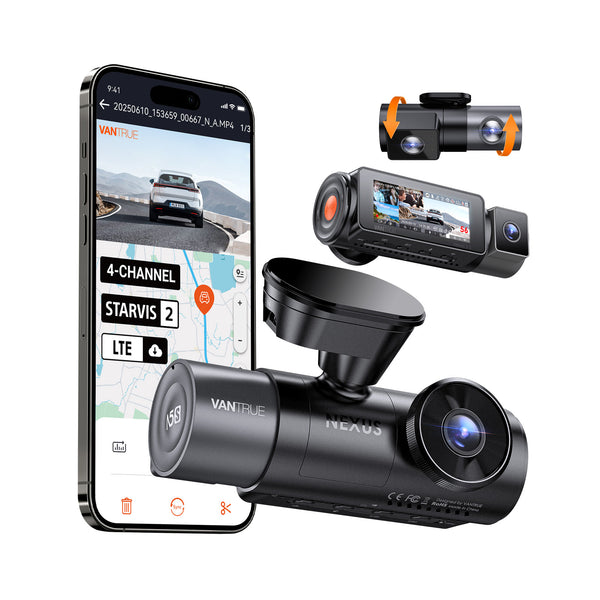
Nexus 5S
$399.99
4-Channel Full Coverage Four STARVIS 2 Sensors LTE Connectivity 10s Buffered Pre-Recording Motion Detection.
How to Test a Used Dashcam Before Buying It is one of the strongest starting points for Canadian dashcam buyers.
This is one of the top-rated dashcams for Canadian drivers. Prices change frequently — check the latest deal below.
Check today’s price before it changes: Check Latest Price
Check Latest PriceTL;DR: To ensure a used dashcam is fully functional before buying it in Canada, test video recording quality, power it on with your car or a power bank, check memory card compatibility, and verify features like parking mode and GPS functionality.

Canadian drivers face unique conditions that affect dashcam performance. Make sure the dashcam starts reliably in cold weather since temperatures can dip well below freezing. Some older or cheaper dashcams may have trouble powering on in subzero temperatures or may take longer to boot, which could be an issue if you expect it to record immediately after starting your vehicle.
Heat tolerance is also important during summer months; a dashcam must survive hot dashboards and extended sun exposure without shutting down or warping. Check the manufacturer's operating temperature range if possible, or inspect the device for signs of heat damage.
Parking mode is essential for Canadian drivers wishing to protect their vehicle when parked in busy urban areas or during long winters. This feature typically activates motion or impact detection recording while the vehicle is off. Test the parking mode by simulating motion or lightly tapping the vehicle while the dashcam is in standby. Some models may require a hardwire installation or an external battery pack to support parking mode, so confirm power setup options.
Installation notes: verify that the mounting system is intact, whether it’s a suction cup or adhesive mount. With cold temperatures, adhesive mounts can lose effectiveness so a dashcam with a removable or replaceable mount can be a better investment. Also, check that the power cable length suits your vehicle setup and that connectors are not damaged.
If you drive mostly in urban Canadian settings with heavy traffic and parking lots, prioritize a dashcam with a reliable parking mode and good low-light recording to capture incidents overnight or in poorly lit areas. Confirm these features work before buying the used dashcam.
For buyers living in northern regions with harsh winters, focused testing on cold starts and operation in below-freezing conditions is key. Ask the seller to test the dashcam by powering it on in a cold area to mimic winter usage. If possible, get a dashcam model known for rugged performance and wide operating temperatures.
Drivers on a budget can still get value from used dashcams with basic front-camera recording, but always check the device’s ability to record and save clips properly before purchase — a dashcam that won’t record isn’t of much use. Look for units with easy-to-find replacement parts such as mounts and SD cards.
Yes, many dashcams operate well in winter, but low temperatures can affect startup times and battery-powered features. To ensure a used dashcam works in Canadian winters, test it in cold conditions to verify quick boot-up and reliable recording. Make sure it supports parking mode if you need overnight monitoring.
A hardwire kit is recommended if you want continuous parking mode operation without draining your car’s battery excessively. It connects the dashcam directly to your vehicle’s fuse box for constant power. For basic use while driving, a standard 12V power adapter (cigarette lighter plug) usually suffices.
Automatic internal links to money pages, feature pages, brand pages, and city pages.
Before you choose, check current availability and pricing. Dashcam prices can change often, especially during sales.
Check Latest Price